
How to set up an eSIM on your phone in minutes
Product · 29 January 2026Clément Bolmont
Landing in a new country often involves a familiar scramble: finding a local SIM card, hunting for a paperclip to open your phone tray, and hoping you don't lose your UK SIM in the process.
With an eSIM, those days are over. Learning how to set up an eSIM is a simple way for you to stay connected without the physical hassle. Whether you're heading on a weekend break to Europe or a longer trip further afield, setting up your digital SIM takes just a few moments.
Discover Revolut eSIMs and activate your data plan in-app in a matter of minutes.
eSIM T&Cs and fees apply.
The information provided is accurate as of 22 January 2026
Information is provided by Revolut Ltd Registration No. 08804411 UK, which is not liable for any of the claims, offerings, or services described herein, nor are the representations made or opinions expressed in this topic the views and opinions of Revolut Ltd or Revolut subsidiary companies registered and licenced to provide Revolut products in local countries. For more information about Revolut and current product offerings in your local country please visit https://www.revolut.com/
While the steps below cover the standard process for most phones, software updates or network-specific requirements mean things can change. We've designed our app to make this as smooth as possible, but for manual eSIM activation we always recommend checking your device manufacturer's latest documentation or your network provider's help pages for the most up-to-date guidance.
How to install an eSIM
Ready to get an eSIM and install it? Follow these simple steps:
- If you’re not a Revolut customer yet, download our app and open your account in a few minutes
- Check that your phone is compatible and unlocked from your network
- Purchase a digital data plan via our app or a provider of your choice
- Install the profile automatically in-app or by scanning a QR code in your phone's settings
- Switch on your new data line and enable roaming for that profile when you land
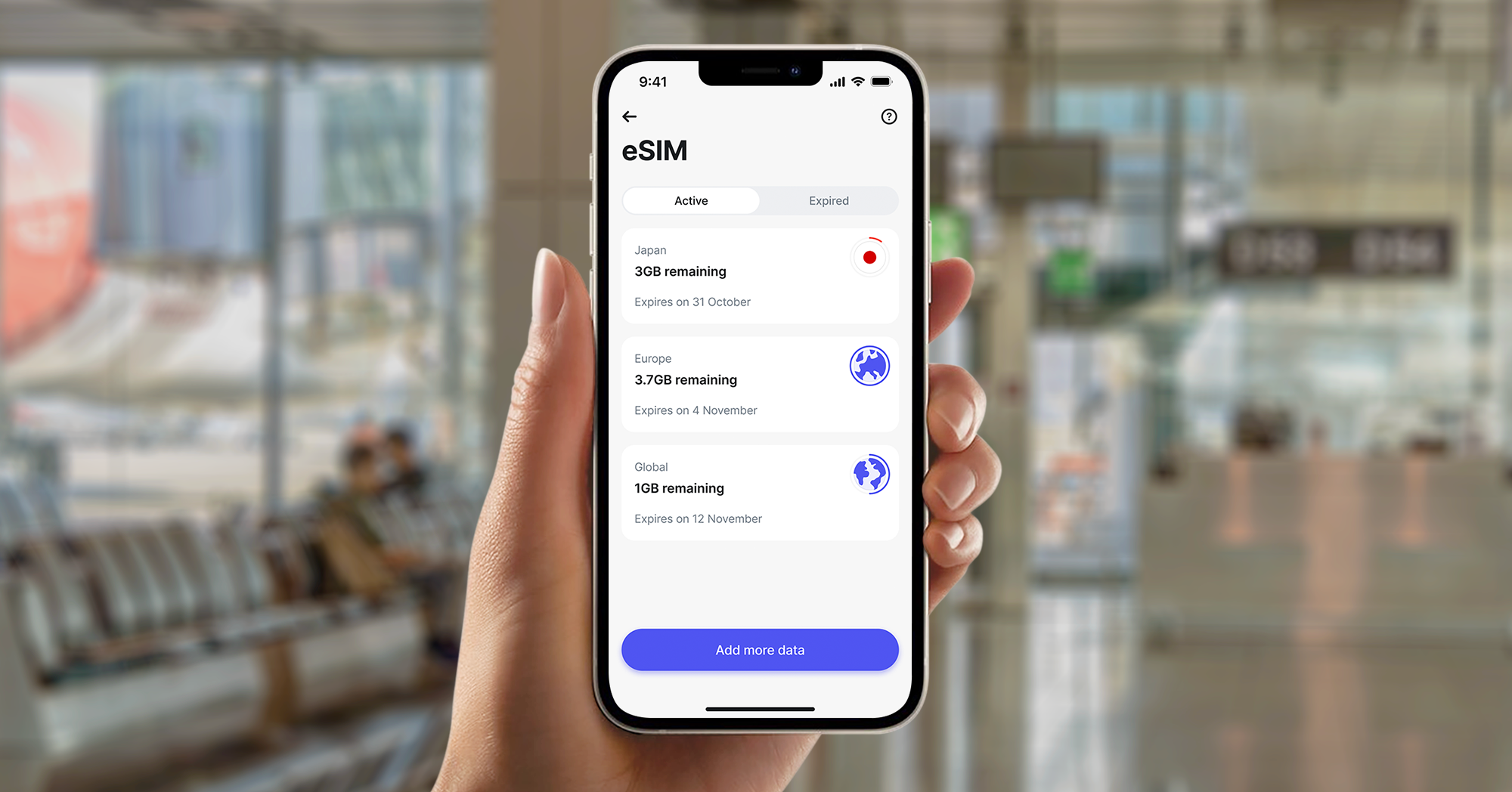
What's an eSIM and how does it work?
An eSIM's a tiny chip built into your phone that lets you connect to mobile networks digitally. Instead of swapping plastic cards, you just download a profile. You can usually store multiple profiles on a single device, making it easy to skip expensive roaming fees and stay connected without visiting a local shop.
With us, you can choose an eSIM for data only or for a full mobile plan that includes data, calls, and texts for just £12.50 a month.
Revolut Mobile is provided by Gigs, and uses the Vodafone network. Revolut Ltd acts as an agent on Gigs' behalf. Conditions of Sale and Gigs' End User Service Agreement apply.
Learn more about what an eSIM is.
Why choose an eSIM for your next trip?
Choosing a digital solution changes how you navigate from the moment you land.
- Faster set up: you can buy your plan while you're still in the UK and connect as soon as you land, or buy it once you’re already on foreign soil
- A greener choice: moving to digital profiles reduces plastic waste and the carbon footprint of shipping physical cards
- Dual SIM convenience: you can keep your UK SIM active while your eSIM handles your data at local rates
eSIM set up: what you need for a smooth installation
To ensure the process of installing an eSIM goes without a hitch, check these requirements first:
- A compatible phone: you'll need an iPhone XS, XR, or later, or a modern Android device like a Samsung Galaxy S20 or Google Pixel 3. Look at your phone’s documentation to see if it’s compatible.
- An unlocked device: your phone must be unlocked from any specific network provider. Most UK phones sold after 2021 are unlocked by default.
- Internet access: you'll need a stable WiFi or mobile data connection to download the eSIM profile.
- Latest software: ensure your iOS or Android version is up to date to support the latest eSIM features.
How to set up your eSIM: 3 easy methods
There are several ways to get your digital SIM ready. We've simplified the process so you can choose the method that suits you best.
Automatic eSIM installation with Revolut
This is the easiest way to get connected. When you buy a plan in our app, we'll guide you through an automated installation:
- Go to the eSIM section of the app
- Choose your plan in-app
- Tap Install
- Follow the on-screen prompts from your phone's operating system to confirm the download
Using a QR code provided by your network
If your network provider sends you a QR code, you can use your camera to scan it.
- On iPhone: go to Settings > Mobile Service > Add eSIM > Use QR Code
- On Android: go to Settings > Network & Internet > SIMs > Add More > Download a SIM Instead
Manual input for advanced setup
If a QR code doesn't work, you can enter the details manually. Your provider will give you an SM-DP+ address and an activation code.
You can enter these in the same menu where you'd scan a QR code by selecting the option to 'enter details manually'.

How to activate an eSIM on an iPhone
Apple makes digital SIM management very intuitive. If you're wondering how to activate an eSIM on an iPhone, there are 2 main ways to handle your numbers.
Using eSIM Quick Transfer
When you're setting up a new iPhone, you can often move your eSIM from your old device automatically. Both phones need to be nearby, unlocked, and have Bluetooth turned on. Follow the on-screen instructions during the Quick Start process to migrate your mobile plan.
Converting a physical SIM to an eSIM
If your UK network supports it, you can convert your existing physical card to an eSIM in your settings. This frees up your physical tray for a local card if you're visiting a country that doesn't support eSIMs yet. Here's how:
- Go to settings > Mobile Service
- Tap Convert to eSIM
- Follow the prompts to finish the activation
How to activate an eSIM on Android devices
Android devices offer a straightforward process, though the menus might look slightly different depending on your brand.
Samsung Galaxy eSIM activation
- Open your settings and tap Connections
- Tap SIM Manager
- Select Add eSIM, and follow the instructions to scan your code or search for a plan
Google Pixel activation
- Go to Settings > Network & Internet
- Tap SIMs and then the + symbol
- Choose Download a SIM instead? Then scan your provider's QR code
Troubleshooting common eSIM installation and activation issues
Most issues with how to set up an eSIM are easily fixed with a few quick checks.
- 'Activation failed' or 'Unable to complete installation': this usually happens due to a weak WiFi signal. Try moving closer to your router or using a different network.
- No data after installation: ensure data roaming is turned on for your eSIM profile in your settings. While you're not technically roaming in the traditional sense, this setting allows the eSIM to connect to the local partner network.
- The eSIM shows 'No service': if you've installed the plan before leaving the UK, it'll only connect once you land and the phone detects the local network. This is normal.
- QR code already used: QR codes are generally for single use. If you've deleted your eSIM profile by mistake, you'll need to contact your provider for a replacement.

Final tips for staying connected abroad
To make your data last longer and your trip smoother, keep these tips in mind:
- Turn off automatic updates: prevent apps from updating over mobile data in your settings to save your allowance for maps and browsing.
- Download offline maps: use Google Maps to save the area you're visiting before you leave. This helps you navigate even if you hit a dead spot in a rural area.
- Monitor your usage: check your data balance regularly in our app. If you're running low, you can buy more in a few taps without needing WiFi.
How to get a Revolut eSIM
Ready to join the digital revolution? You can sign up for Revolut and get your connectivity sorted before you even pack your bags:
- If you haven't yet, download our app and create your Revolut account in a few minutes.
- Open the app: head to the Lifestyle tab and select eSIM
- Select your plan: choose your destination and the amount of data you need. We offer local, regional, and global eSIM plans.
- Install and connect: tap to purchase and follow the in-app installation guide. It only takes a few minutes to buy and install an eSIM with Revolut.
- Switch on at your destination: when you land, ensure your mobile data is set to your eSIM and that data roaming is enabled for that line.