
What's an eSIM and how does it work?
Product · 23 February 2026Clément Bolmont
The way we connect to mobile networks is changing. We’re moving away from physical plastic SIM cards and toward a digital-first approach that makes staying connected simpler and more flexible.
In this guide, we'll explore what an eSIM is, how it works, and why it's a cost-effective choice for your next trip or even your everyday UK mobile plan.
With Revolut eSIMs, you can stay connected in 100+ countries without the high costs of traditional roaming. Sign up to Revolut for free and buy eSIM plans at competitive prices.
Discover our eSIM plans and activate your eSIM today.
eSIM T&Cs and fees apply.
The information provided is accurate as of 16 February 2026.
What are eSIMs? What you should remember
Before you dive in, here are the key things to know about eSIMs and what we'll cover:
- An eSIM is a digital SIM card built into your device, meaning there’s no plastic chip to swap.
- You can download Revolut and sign up for free. Then you can buy eSIMs in-app at competitive prices.
- You can activate data or mobile plans in minutes without waiting for a card in the post.
- A Revolut eSIM may help you save money on roaming fees while travelling.
- We've included a side-by-side look at physical and digital SIMs below.
- You'll find a step-by-step guide to getting set up in our app.
What's an eSIM?
An eSIM is a digital SIM card that's built right into your device's hardware. Instead of a removable plastic chip that you have to slide into a tray, it's a permanent part of your phone.
SIM stands for subscriber identity module, and its job is to connect you to a mobile network so you can make calls, send texts, and use data.
Historically, this information was stored on physical chips. An eSIM does the same thing, but it's significantly smaller than a traditional SIM card and it's rewritable. This means you can download a new profile or change your network provider through software settings instead of having to take out a chip.
With us, you can either use our eSIMs to get data or go for a full mobile plan that'll allow you to have phone calls and unlimited data in the UK as well as 20GB of US & Europe data.
Unlimited data subject to Acceptable Use Policy.
Revolut Mobile is provided by Gigs, and uses the Vodafone network. Revolut Ltd acts as an agent on Gigs' behalf. Conditions of Sale and Gigs' End User Service Agreement apply.
How does an eSIM work?
An eSIM works by storing your mobile network credentials on a small, permanent chip inside your device rather than on a removable plastic card, so you don’t have to take any manual action.
When you buy an eSIM plan, we'll give you a digital profile. This is usually delivered via a QR code or through a direct download in-app. Once you’ve installed this profile, your device's internal eSIM chip acts as the key to unlock the network.
Your device communicates with cell towers just as it would with a physical card. Because the chip is rewritable, you can usually store multiple eSIM profiles on one device. This lets you switch between a work number and a personal number, or a UK plan and an international data plan, with a few taps in your settings.
eSIM vs physical SIM: what are the differences?
While both connect you to a network, the digital nature of an eSIM offers several advantages in terms of convenience and security.
Feature | Physical SIM | eSIM |
Installation | Manual (requires a tray tool) | Digital (QR code or in-app) |
Switching networks | Must wait for a new card | Instant digital download |
Multi-SIM use | Requires a dual-tray device | Supported on modern devices |
Durability | Can be damaged or lost | Built into hardware, can't be lost |
Security | Can be removed if device is stolen | Hardwired, makes tracking a stolen device easier |

Using an eSIM for travel: staying connected abroad
The way you use your devices abroad has changed since the UK left the European Union. Many major UK providers have reintroduced daily roaming fees for Europe, which can add up over a week-long holiday. For destinations further afield, such as the USA or Australia, these costs can be even higher.
How an eSIM saves you money when travelling outside Europe
When you travel outside the UK, your home provider usually charges a premium for you to use local networks. An eSIM lets you bypass these charges. By downloading a local or regional data plan before you fly, you can connect to local networks at local prices.
For example, instead of paying £6–8 a day to use your UK plan in New York, you could download a US data eSIM for a lower flat fee. This effectively turns your device into a local one for the duration of your trip.
Travelling in Europe: roaming with your provider vs an eSIM
While some UK plans include roaming in Europe, many now cap the amount of data you can use or charge a daily fee. If you’re a heavy data user for maps, social media, or streaming, an eSIM can provide a larger data allowance for a lower cost.
With our Revolut mobile plans, you can benefit from 20GB of travel data, as well as calls and texts to use every month in 30 European countries and the US.
Our Ultra customers get data abroad included
If you’re a customer on our Ultra plan, we'll give you a 3GB eSIM every month as part of your subscription. This can be used in over 100 countries, helping you stay connected without paying extra for a separate travel SIM. The data's available for 7 days from activation and you can manage it directly in-app.
Paid Plan Terms and fees apply.
How to get an eSIM in the UK
Most people in the UK can now access eSIM technology through their current phone company or through digital-first services like ours.
Is your phone compatible with eSIMs?
Before you try to get an eSIM, make sure your device supports it. Most devices manufactured after 2018 include an embedded SIM chip. According to documentation from major manufacturers like Apple, Samsung, and Google, here are the general requirements:
- Apple: iPhone XS, XS Max, XR, and all subsequent models (iPhone 11 through to iPhone 16). This includes the iPhone SE (2020 and 2022).
- Samsung: Galaxy S20, S21, S22, S23, and S24 series. It's also standard on the Z Flip and Z Fold ranges.
- Google: Pixel 3, 4, 5, 6, 7, 8, and 9 series.
- Other devices: newer models from Motorola, Huawei, and Sony also support the technology.
You can check if your device is compatible by dialling *#06# on your keypad. If an EID (embedded identity document) number appears on your screen, your device is eSIM-ready. You can also check your phone’s support documentation to see if it’s compatible.

How to activate and install an eSIM on your device
The activation process is designed to be straightforward. You won't need technical expertise or tools.
Installing an eSIM on an iPhone or iPad
- Open your Settings app
- Tap on Mobile Service
- Scroll down and tap Add eSIM
- Choose Use QR Code and scan the code provided by your network
- Follow the prompts to label your new plan (e.g. 'Travel data')
- Choose which SIM you want to use for data and which for default voice calls
Setting up an eSIM on Android devices
- Open Settings and tap Network Settings, then Network & internet
- Tap SIMs or Mobile network
- Tap the + symbol then Add SIM/Download eSIM
- Scan your QR code when prompted
- Once the download's complete, go back to Settings to turn on the new eSIM
Using our eSIM as a secondary SIM for roaming
We've integrated eSIM technology directly into our app to make international travel easier for you. You can manage your data from our app. Here's how:
- Select your plan: go to the eSIM section in-app (you can look for it using the search bar). Then browse the different locations and plans.
- Purchase and download: buy your data plan using your balance. The app will then guide you through the installation process for your specific device.
- Configure your settings: once installed, go to your device settings. Set our eSIM as your default data SIM.
- Turn on data roaming: for the eSIM to work, make sure data roaming's toggled on for our eSIM profile in your device settings.
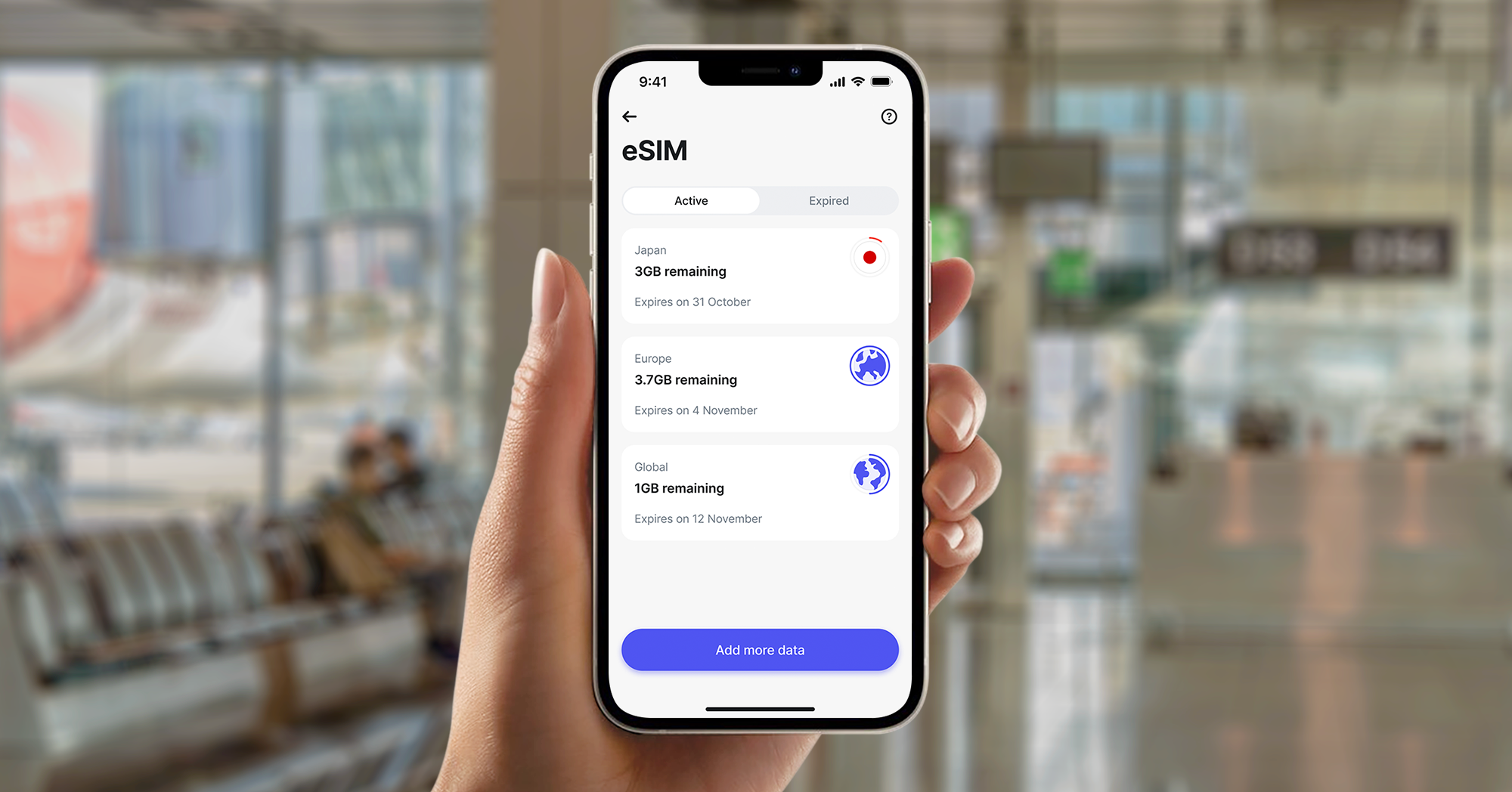
- Monitor usage: you can check exactly how much data you've got left in-app and add more if you’re running low.
eSIM FAQ
Can I get 5G with an eSIM?
Yes. An eSIM's capable of supporting 5G connectivity just like a physical SIM. Whether you'll get 5G speed depends on your device, your eSIM provider’s agreement with local networks, and whether 5G coverage is available in your current location.
With our eSIM plans, you can have 5G.
Are there any downsides to using an eSIM?
While the benefits are numerous, there are a few things to consider:
- Switching devices quickly: if your device breaks or runs out of battery, you can't simply pop the SIM out and put it in another device. You'll need to download the profile onto a new device, which requires an internet connection.
- Device support: older devices might not yet support the technology.
- Privacy: because the eSIM's built into the device, it can't be physically removed to disconnect from a network, though you can still disable the profile in your settings.
What happens if I accidentally delete my eSIM?
If you delete the eSIM profile from your device settings, you’ll lose your connection to that network. In most cases, you can redownload the profile from our app. However, some providers limit how many times a single profile can be installed for security reasons, so you might need to contact support for a replacement.
How to start using our eSIMs
Staying connected should be clear and affordable. By using our eSIM, you'll avoid the bill shock of unexpected roaming charges and the hassle of physical SIM cards.
Here's how to get started:
- Download the latest version of our app
- If you haven't yet, sign up with us for free and activate your account in a few minutes
- Navigate to eSIM
- Choose from a local, regional, or global data plan
- Follow the in-app instructions to activate your plan in minutes