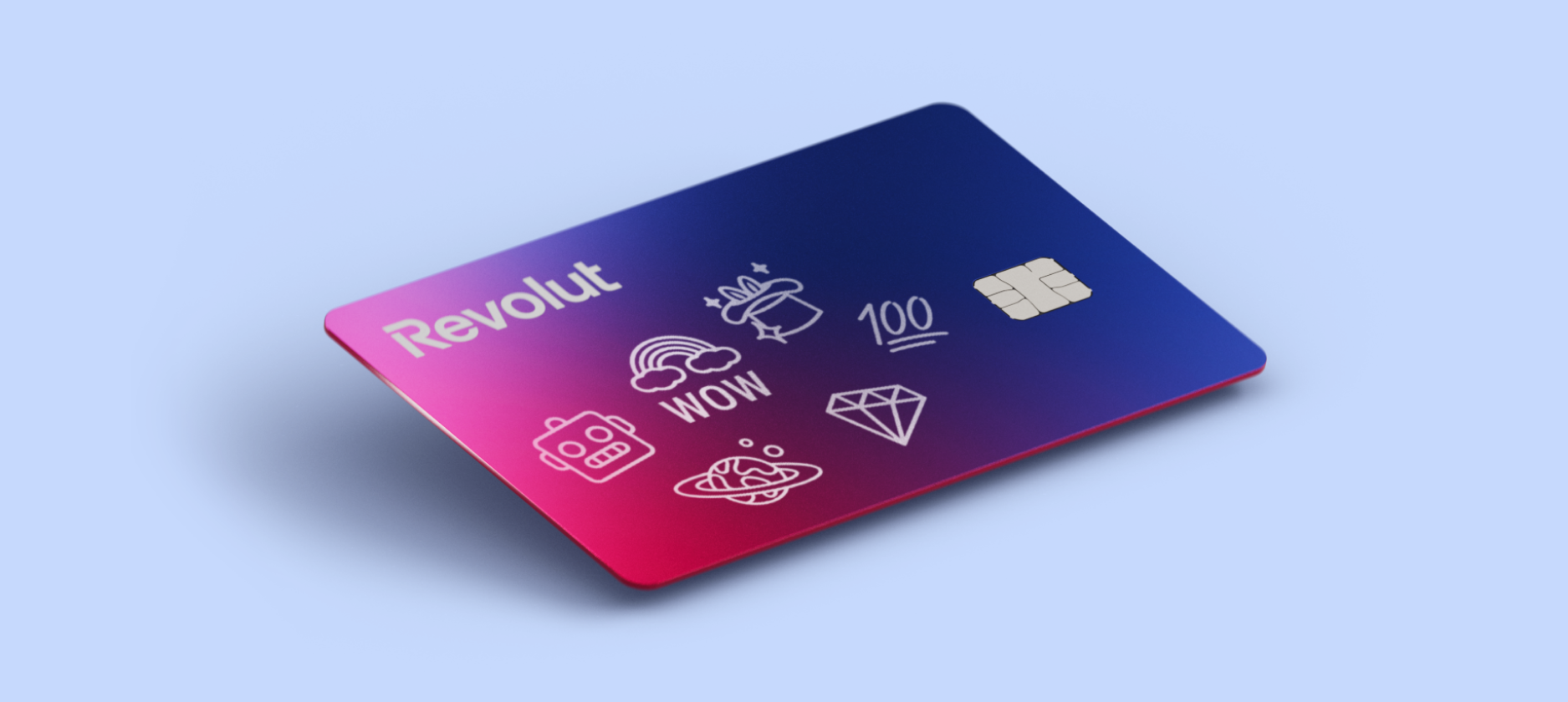
A guide to Revolut debit cards and features
Product · 18 May 2026Dimitri de Perthuis
The best card for you depends on how you spend and travel. With Revolut cards you can spend in 150+ currencies with great rates, set spending limits, and get real-time payment notifications on your phone the second you pay. You can sign up for Revolut in our app and get your first card issued in minutes.
How does a Revolut debit card work?
We offer both physical and virtual debit cards that are linked to your account balance. When you pay for something, the money's pulled directly from that balance.
Our app talks to the card networks like Visa or Mastercard to approve your payment and update your balance immediately. With instant spending notifications, you’ll always see exactly what you spend and how much you have left in your balance.
You can also use your Revolut debit card when you travel. If you exchange and hold the local currency, your card will spend from that balance directly, or auto-exchange at great rates as you spend.
Cards and the app work together to help you budget. You can order or create new cards and link them to specific spending Pockets within your account to organise your spending for things like subscriptions, bills, and food shopping.
Exchange fees, weekend fees, fair usage limits, and fees for physical cards may apply.
Can you use your card like a normal bank card?
Yes, it’s a normal bank card. As a fully licensed UK bank, Revolut bank accounts come with FSCS protection on eligible deposits up to £120,000. You can use your card anywhere that accepts Visa or Mastercard. It works for contactless, chip and PIN, and phone wallets like Apple Pay and Google Pay.
You can also take out cash from ATMs with physical Revolut cards. We'll send you a notification from the app the second you spend anything, which helps you spot any mistakes or fraud right away.
How do you get a Revolut card?
You can create a Revolut account by following a simple, 3-step process, entirely on your phone. You don't have to visit a physical branch or wait for paper forms to arrive.
- Get Revolut: download our app from the App Store or Google Play Store and join 70+ million people. Follow the sign up process, and verify your identity
- Order your card: pick the physical card you want (fees may apply). You can also create a virtual card in a few taps to start spending instantly.
- Spend like a local: you can add your card to your Apple Wallet or Google Wallet, and spend locally and globally in 150+ currencies
To order a physical card in our app, go to your app's home screen → tap the card icon in the top-right corner → Add new → Physical card.
What are the requirements to sign up?
To open an account and get your card, we'll need to check a few things. You'll need to be at least 18 years old and live in the UK. During signup, we'll ask for:
- Proof of who you are: a valid photo ID like a passport or driving licence
- A quick selfie: to make sure you're really you
- Your details: your name, home address, and a mobile number
The process is fast, and we use digital tools to check your ID, so you'll usually be ready to go in minutes.

How long does it take to get your Revolut card?
One of the best things about joining us is how fast you can start spending from your account. You don't have to wait for the post to arrive.
- Virtual cards: create these in a few taps, and they're ready to use once your account it set up
- Physical cards: standard delivery usually takes a few business days. You can check the app to see exactly when it'll arrive
- Express delivery: if you're in a rush, you can choose a faster delivery for a small fee
Can you spend before your physical card arrives?
Yes, get a virtual card in our app immediately after you join. You can add this to Apple Pay or Google Pay to pay in shops or use the numbers to buy things online. This means you can start using your account for smart spending while your physical card's on the way.
Choosing the right card for you
We don't just offer one type of card. You can have a mix of physical and virtual cards in our app to help you stay safe and keep track of your money.
Physical cards for daily use
This is the card you'll carry in your wallet. It's used for taking out cash from ATMs, shopping in stores, and tapping for travel like the bus or tube.
Personalisation fees and delivery fees may apply. Some cards available on paid plans only. Subscription fees and Paid Plan T&Cs apply
Virtual cards for online spending
A virtual card lives only in our app. It's got its own 16-digit number, expiry date, and security code that's separate from your physical card. These are great for online shopping because you never have to share your real card details with a website. If you're worried about a site, you can just delete the virtual card and get a new one.
Single-use virtual cards for extra security
For the highest level of safety when you shop online, the Revolut single-use virtual card is the best pick. This is a special type of virtual card where the details refresh after every use.
- One-time use: the card details are valid for just 1 purchase
- Immediate refresh: after you pay, the old details expire and we give you a new set, ready to use for next time
- Fraud protection: if a shop has a data breach, the details they had about your card would be useless to anyone else
This feature gives you peace of mind when you're buying from a website you've never used before. You can use this even on our no-cost Standard plan.
See our virtual cards FAQ for more info.
Customised cards for your personality
Your Revolut card doesn't have to look like everyone else's card. Depending on your plan, you can personalise your physical card with a note, a sketch, or choose from a range of colours and materials — from Standard to Premium's sage green and slate grey, all the way to Metal's steel finishes and Ultra's platinum-plated card. It's a small touch, but it makes it yours.
Personalisation fees may apply. Some cards are available on paid plans only. Subscription fees and Paid Plan T&Cs apply.
Staying safe with your Revolut bank card
We've built several layers of security to protect your money. You can manage all of these settings yourself in our app without needing to reach out to our support team.
- Freeze and unfreeze: if you lose your card, you can freeze it in a second. If you find it later, just unfreeze it
- Set spending limits: pick a monthly limit to help you stay on a budget
- Turn off features: you can disable things like online payments or cash withdrawals whenever you want
- Real-time notifications: you'll get a notification on your phone the second your card's used, so you'll know if something's wrong
What do people say about Revolut?
Over 70 million people use Revolut worldwide, and the numbers speak for themselves. We're rated 4.7 out of 5 on Trustpilot from nearly 4 million reviews, and 4.9 out of 5 on the App Store. In 2025, we were named 'Best International Payments Provider' at Smart Money People British Bank Awards and 'World's Best Digital Bank' at Euromoney's Awards for Excellence.
Start managing your money today
You can open your account in just a few steps — all from your phone.
- Download the app: get the Revolut app from the App Store or Google Play, or enter your mobile number to receive a link to the app
- Verify your mobile number: you’ll receive a 6-digit code by SMS to verify
- Secure your account: set a secure 4-digit passcode
- Fill in your details: enter your name, date of birth, address, email, and country of residence. You’ll also set up your @revtag to send and receive payments easily, using a QR code or just the tag.
- Verify your identity: take a clear photo of your ID (passport or driving licence) and take a quick selfie in-app to confirm it’s you
Once verified, your account is ready for you to use.
T&Cs apply.
The information provided is accurate as of 8 May 2026.