Currency exchange at your fingertips
300 CHF to HKD: Convert Swiss Francs to Hong Kong Dollars
Exchange Swiss Francs to Hong Kong Dollars in-app, then save, spend, and send however you like — with rates and fees you'll love. That's true global freedom. See how a little money can go a long way with Revolut.
- Fully licensed bank
- 38 supported currencies in one account
- 24/7 customer support in 100+ languages
How much is 300 CHF worth in HKD
300 CHF to HKD Chart
1 CHF = 9.92500 HKD
H$0.350903.67 %Swiss Francs to Hong Kong Dollars: exchange rates today
 CHF CHF |  HKD HKD |
|---|---|
| 1 CHF | 9.89 HKD |
| 10 CHF | 98.98 HKD |
| 20 CHF | 197.96 HKD |
| 50 CHF | 494.92 HKD |
| 100 CHF | 989.84 HKD |
| 250 CHF | 2,474.60 HKD |
| 300 CHF | 2,969.53 HKD |
| 500 CHF | 4,949.21 HKD |
| 1,000 CHF | 9,912.26 HKD |
| 2,000 CHF | 19,824.53 HKD |
| 5,000 CHF | 49,561.34 HKD |
| 10,000 CHF | 99,122.68 HKD |
| HKD | CHF |
|---|---|
| 1 HKD | 0.10 CHF |
| 10 HKD | 1.00 CHF |
| 20 HKD | 2.00 CHF |
| 50 HKD | 5.02 CHF |
| 100 HKD | 10.04 CHF |
| 250 HKD | 25.11 CHF |
| 300 HKD | 30.14 CHF |
| 500 HKD | 50.23 CHF |
| 1,000 HKD | 100.47 CHF |
| 2,000 HKD | 200.95 CHF |
| 5,000 HKD | 502.38 CHF |
| 10,000 HKD | 1,006.16 CHF |
Although we update our data continuously, exchange rates are always changing due to market fluctuations. Check the current rate in-app before you convert or send.
Absolutely starstruck
See why so many customers are raving about Revolut
Could it be because of our multi-currency accounts? Or our easy money transfers? Or our CHF to HKD exchange rates? Truth is, there's so much to love about Revolut. Check out our app ratings and see why so many people have showered us with stars.


Convert CHF to HKD with the Revolut exchange rate
Foreign exchange, forex, FX... No matter what you call it, you'll find it in-app — at competitive rates and fees. Explore all the ways you can save when you exchange currencies and send money with Revolut.
No exchange fees on weekdays
Got the Monday blues? Here's a pick-me-up. Exchange CHF to HKD and send money to Hong Kong at the Revolut rate — without currency exchange fees on weekdays, whenever your amount is within your plan's limits.
Competitive exchange rates and fees
We love a little competition, and we're in it to win it. Check out our CHF to HKD rates and see how they stack up against other providers'.
No exchange limits when you upgrade
If you're exchanging large amounts of money often, check out our Premium, Metal, and Ultra plans. There are no fair usage limits, so you can convert as much as you like at the Revolut rate, without fair usage fees. Plan fees and T&Cs apply.
How to convert Swiss Francs to Hong Kong Dollars
1. Use our currency converter
Go to our currency exchange calculator above. Choose CHF as your starting currency and HKD as the currency you want to convert to.
2. Check out our rates
Enter how much you want to convert in CHF or receive in HKD. Our currency converter will do the maths for you and show you our current exchange rate for CHF to HKD, plus any fees that may apply.
3. Join Revolut and exchange
Download our app for iOS or Android, and sign up for an account. Then go to the Exchange section in-app to start converting.
Hold CHF and HKD in your multi-currency account
You don't have to choose — at least when it comes to currencies. Convert Swiss Francs to Hong Kong Dollars in a tap and hold both in your account at the same time, among 38 supported currencies. Then check your balances at a glance and manage your money seamlessly across the world. That's the closest you can get to being in two places at once.
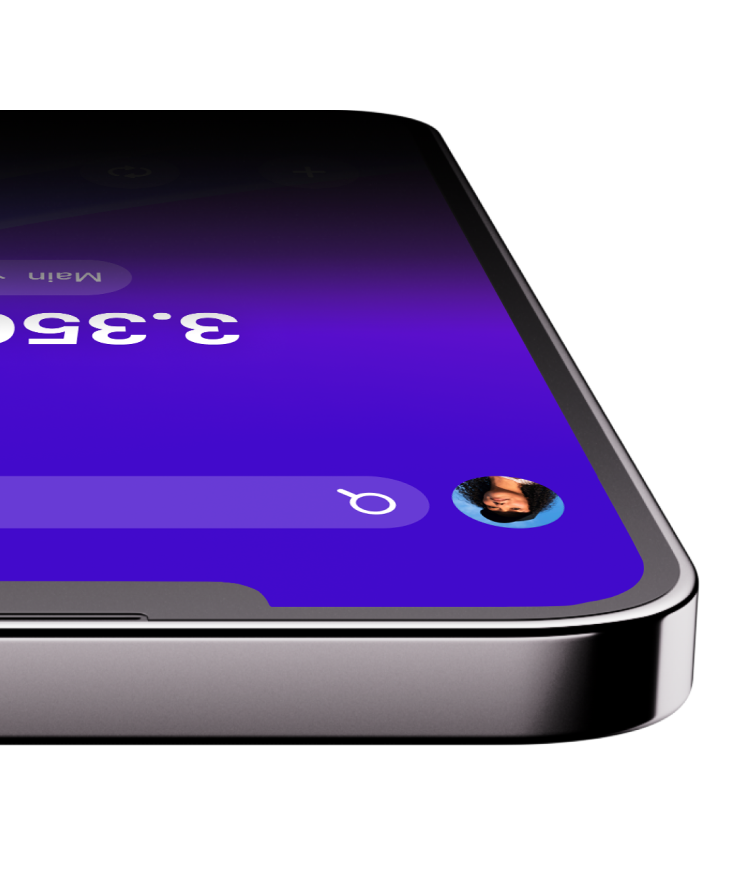
You send Swiss Francs...
Just download our app for iOS or Android, and add money to your account in Swiss Francs. Then go to the Transfers section in-app, choose your destination country, and enter the amount you want your recipient to get in Hong Kong Dollars.
...And they receive Hong Kong Dollars
Like magic. We'll convert your Swiss Francs to Hong Kong Dollars for you and show you the total cost before you send. Don't you love it when things are this easy?Explore money transfers
Travel and spend in Hong Kong Dollars with your Revolut card
When in Hong Kong, do as the locals do and pay in Hong Kong Dollars. All you need is a Revolut card. Who knew you could carry 150+ currencies in your back pocket?
Travel money card
Whip out your multi-currency card for ATM withdrawals and payments abroad. Just add money to your account in CHF and pay in HKD while you're in Hong Kong¹.
Virtual card
Pack light and pay like a local. All you need is your phone. Create your virtual card in-app and make contactless payments in HKD and 150+ other currencies.
¹Exchange fees and fair usage limits apply.
Secure banking you can trust
Great rates, low fees, easy in-app features — that's all wonderful, but knowing your money's safe with us is priceless. Discover why 75+ million global customers use Revolut for currency exchange, money transfers, and more.
Learn moreLicensed bank
Revolut Bank UAB is authorised by the Bank of Lithuania and by the European Central Bank.
Fraud prevention
Powered by a dedicated, 24/7 financial crime team, we estimate that Revolut customers were protected from more than €746 million in potentially fraudulent transactions during the previous calendar year.
24/7 support
Speak to our award-winning support team in 100+ languages via secure in-app chat. Yes, even on a Sunday.
Deposit guarantee
The money in your payment account is eligible for deposit insurance provided by the Lithuanian Public Institution "Deposit and Investment Insurance."
Popular currency conversions
Check out our customers’ favourite and most common currency conversions.
Swiss Francs currency conversions


Popular conversions to Hong Kong Dollars
Other popular conversions

One app, all things money
Convert Swiss Francs to Hong Kong Dollars with Revolut
Whether you're exchanging currencies or sending money abroad, we've got you covered. With 160+ supported countries and counting, it's only a matter of time before we reach every border. Download our app and change the way you money.


4.7 / 5
Want more info?
CHF to HKD currency exchange FAQs
- Currency exchange rates rise and fall constantly, so it's wise to keep an eye out for current market trends. Our goal is to give you easy access to the most updated info so you can find the best exchange rates for you. Before converting Swiss Francs to Hong Kong Dollars, use our currency converter, conversion tables, and price comparison widget to find today's exchange rates and compare different providers. Keep in mind that exchange rates fluctuate constantly, so always double-check our current rate in-app before converting.Check live CHF to HKD exchange rates now.
Depending on your plan, the amount you're exchanging, and the day of the week, you may pay a currency exchange fee. You'll always see the total cost in-app after you spend with your multi-currency card, along with the Revolut exchange rate.
If the amount you're exchanging is within your plan’s fair usage limit, you won't pay any additional currency exchange fees on weekdays.
Depending on your plan, you may pay a fee on any exchanges you make during weekends, between 17:00 Eastern Time (ET) on Fridays and 18:00 ET on Sundays. You'll pay a 1% fee on the Standard plan, and a 0.5% fee on the Plus plan. You won't pay any weekend fees on our Premium, Metal, or Ultra plans.
If you're over your monthly exchange allowance, you'll pay an additional fair usage fee, depending on your plan (1% for the Standard plan and 0.5% for the Plus plan). There are no fair usage fees with our Premium, Metal, and Ultra plans. These limits are set on a rolling monthly basis. You can check your fair usage limit and the date it will reset under Your plan in your profile.
For more information on your plan's fees, check out our terms and policies. Fees are subject to change, but you'll always see them in-app.- You can convert CHF to HKD with us in 3 ways.
In-app currency exchange
You can exchange CHF to HKD and keep both in separate accounts, among 38 supported currencies. Here's how to exchange in-app:- Download Revolut for Android or iOS, if you haven't already, and sign up for an account.
- Add money to your account in CHF.
- Go to the Exchange section.
- Choose CHF as your starting currency and HKD as the currency you want to convert to.
- Enter the amount you want to convert in CHF or receive in HKD. We'll calculate the conversion for you.
- Check the exchange rate and any applicable fees.
- Tap Confirm order and you're all done.
International money transfers
When you send CHF from Switzerland to a HKD account in Hong Kong, we'll exchange your money in-app and show you our current conversion rate before you send. Here's how to send money:- Download Revolut for Android or iOS, if you haven't already, and sign up for an account.
- Add money to your account in CHF.
- Go to the Transfers section in your Revolut app.
- Choose your destination country, then enter how much you want to send in CHF or how much you want your recipient to get in HKD.
- Check our exchange rates, fees, and estimated delivery times in-app.
- Fill in your recipient's details. You'll usually need their full name, BIC or SWIFT code, and their account number.
- Tap Send and track your transfer in-app.
Card payments abroad
When you pay with your Revolut card in Hong Kong, we'll automatically exchange your money to HKD. Just add money to your account and shop wherever Visa or Mastercard are accepted. - You can make up to 100 exchanges every 24 hours, and there's no maximum amount you can exchange, no matter what plan you have. However, there are fair usage limits for Standard and Plus customers. Once you reach your limit, you'll pay a 1% fee if you have the Standard plan and 0.5% if you have the Plus plan. These limits apply on a rolling 30-day basis. You can keep track of all your currency conversions in-app.
- We use two-factor authentication to make sure you're the only one who can log in to your account, and we'll send you anti-fraud warnings in-app if we suspect that a transfer may be a scam. We also protect your personal data with our full-stack security systems. Additionally, we use other security methods that vary depending on the Revolut entity you're registered to. Here's how you can learn more.
- Open the Revolut app.
- Click on your profile icon on the home screen.
- Scroll to the bottom of the page and see which Revolut entity shows up.
- Go to our Help Centre to read more on your Revolut entity and how we keep your money safe.